Label KPIs: Pooled Metrics Across Surveys
A Label KPI tracks a custom metric group that pools responses across surveys sharing the same label — useful when one NPS or rating concept spans multiple campaigns.
Before you start
- Create or open a Label and configure a metric group under Labels → Metrics (map questions across the surveys on that label).
- Boolean-only metric groups cannot be tracked as KPIs — use numeric groups (NPS, CSAT, rating, average).
- You need the My Alerts permission to use the KPIs tab.
Create a Label KPI from Actions
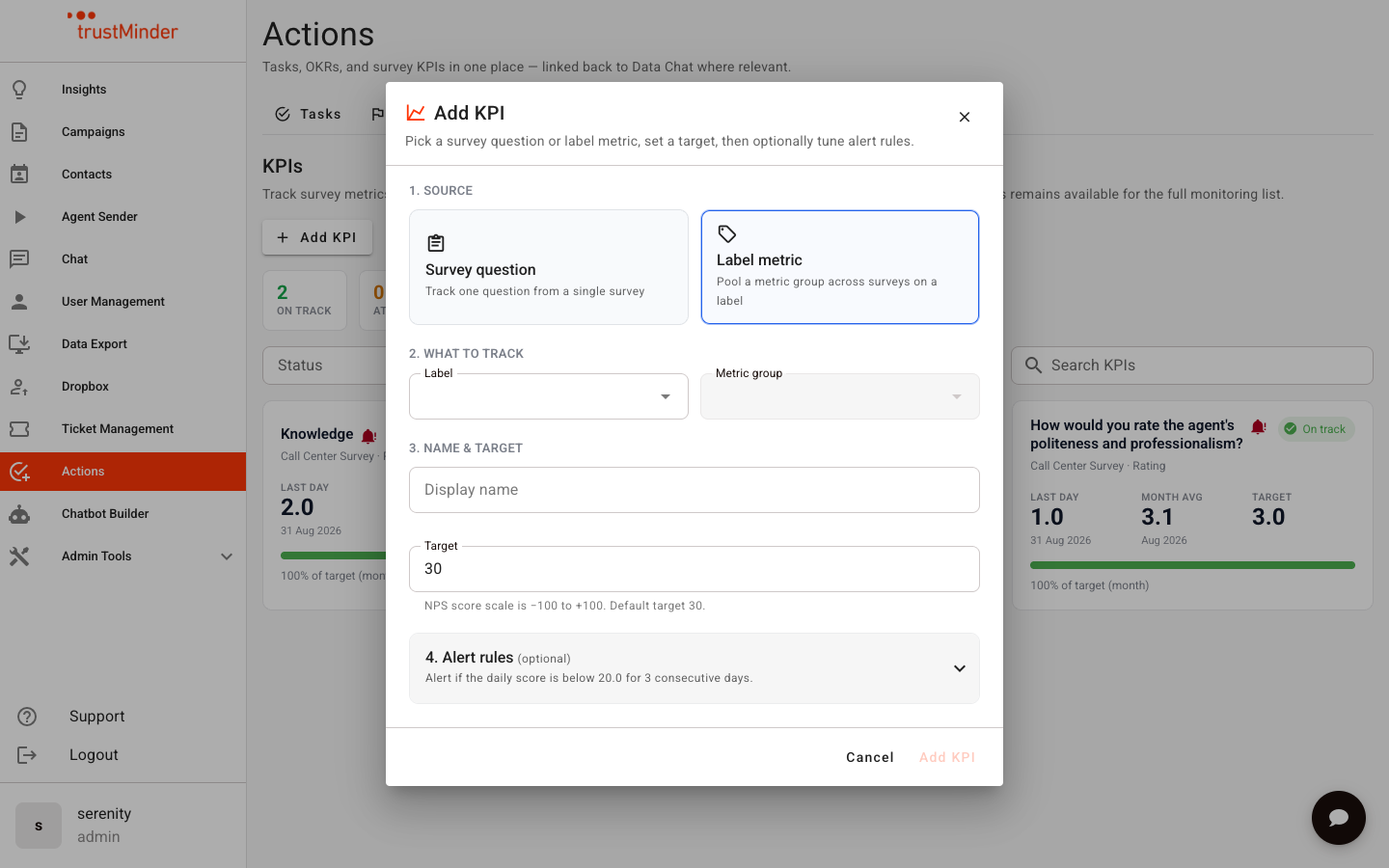
- Go to Actions → KPIs.
- Click Add KPI.
- Under Source, choose Label metric.
- Select the Label and the Metric group.
- Set a display name (optional) and Target.
- Optionally tune alert rules (buffer, consecutive days, email).
- Click Add KPI.
Create from the label itself
- Open the label detail page.
- In the Metrics area, use Track as KPI on a metric group.
- Complete the Add KPI form (prefilled with that label and group).
How scores are calculated
- Each day, trustMinder resolves which surveys currently belong to the label and which questions are mapped in the metric group.
- Responses are pooled and scored with the same formulas used for single-survey KPIs (NPS, CSAT, rating, average).
- If label membership or mappings change, the next evaluation uses the live configuration — you do not need to recreate the KPI.
On the KPI board
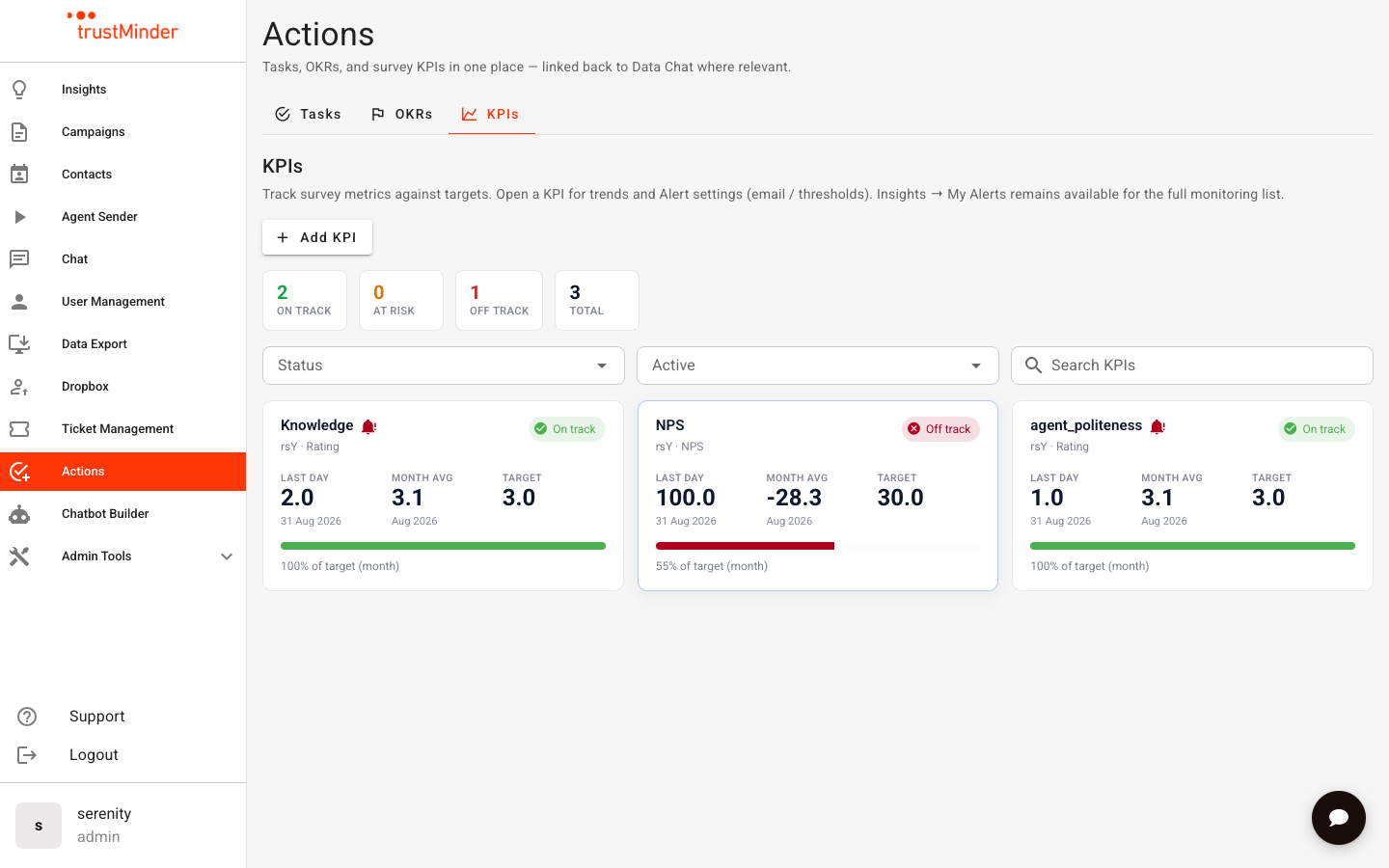
Label KPIs appear alongside survey KPIs. Cards show a label chip so you can tell pooled metrics apart from single-survey questions. Open a card for trends and alert settings as usual.
Tips
- Give metric groups clear display names — those names become the default KPI title.
- Keep mappings consistent (same scale / question intent) so pooled scores stay meaningful.
- Use Label KPIs for account-level health; use survey KPIs when you need campaign-specific ownership.


Was this article helpful?
That’s Great!
Thank you for your feedback
Sorry! We couldn't be helpful
Thank you for your feedback
Feedback sent
We appreciate your effort and will try to fix the article