OKRs: Objectives, Key Results & Check-ins
The OKRs tab helps you set qualitative goals (objectives) and measurable outcomes (key results), then check in regularly on progress and confidence.
Open OKRs
- Go to Actions.
- Select the OKRs tab.
At a glance
The summary strip shows how many key results are On track, At risk, or Off track, plus the number of objectives and average progress.
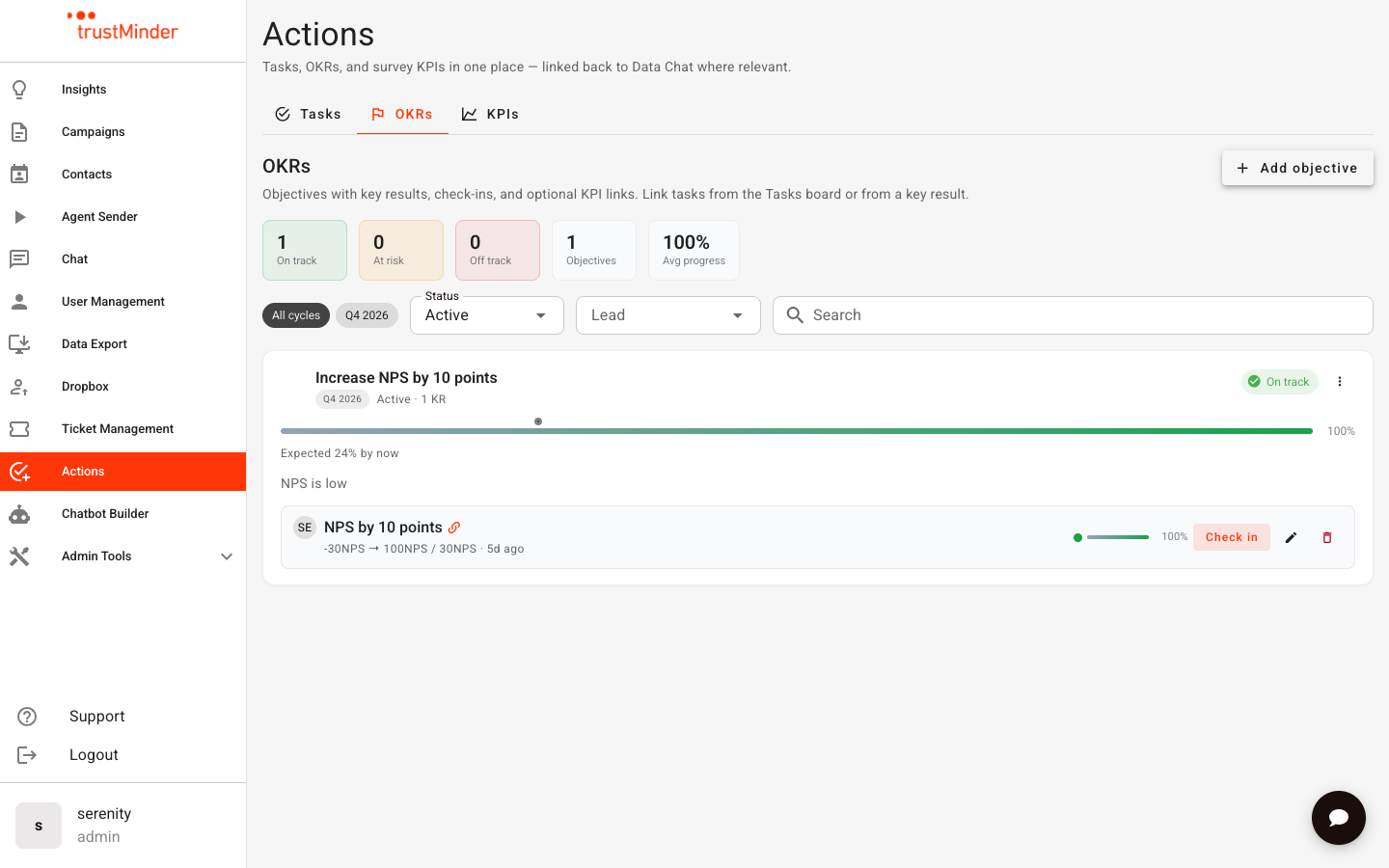
Filter by cycle (timeframe), status, lead, or search text to focus the list.
Create an objective
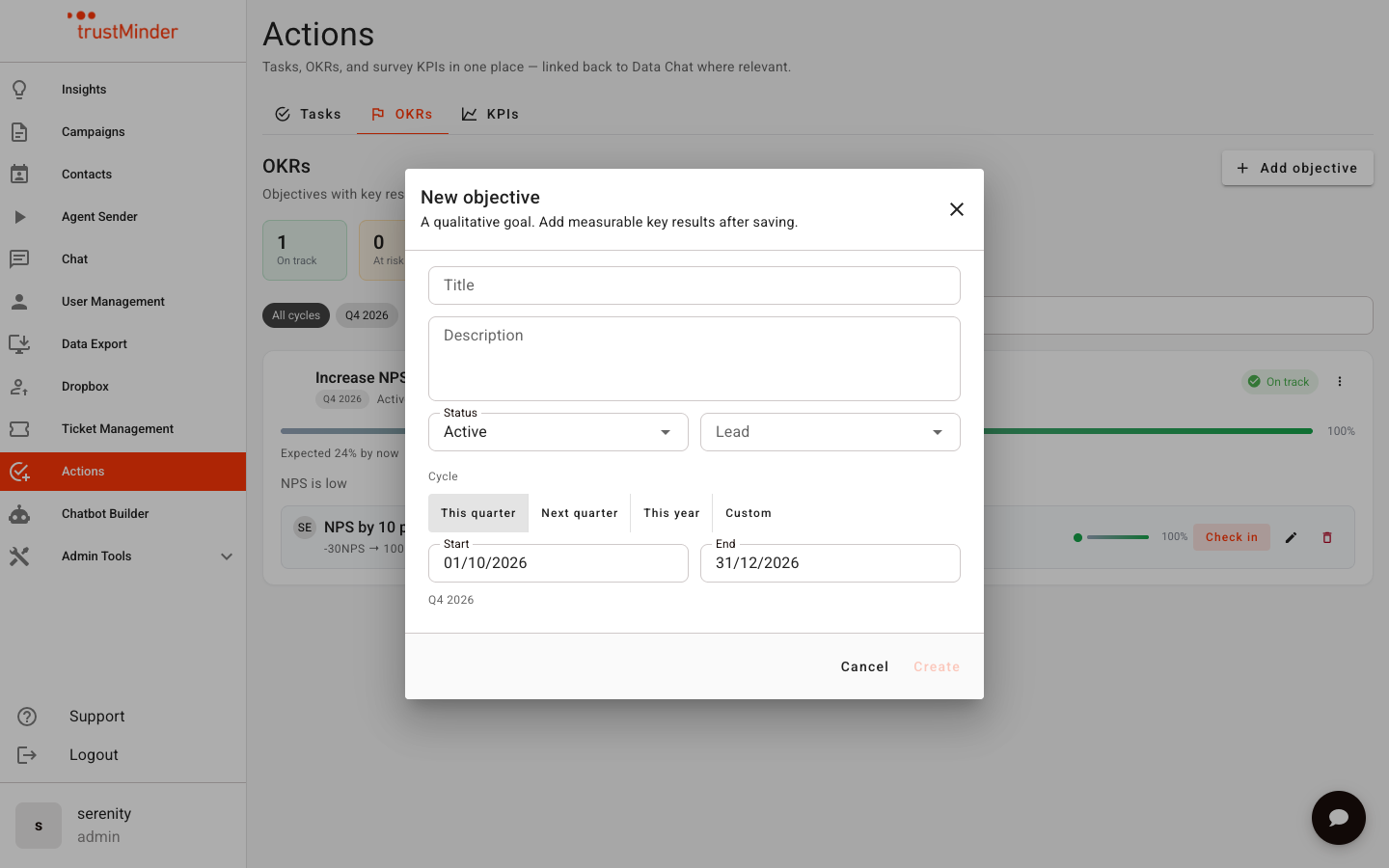
- Click Add objective.
- Enter a clear objective title (what you want to achieve).
- Choose a timeframe — quick presets include this quarter, next quarter, this year, or a custom range.
- Optionally assign a lead.
- Save.
Objective progress is the average of its key results. Objective confidence reflects the worst confidence among its active key results.
Add a key result
- On an objective card, add a new key result.
- Choose how it is measured: percent, number, or boolean.
- Set start and target values (and unit where relevant).
- Optionally set a due date and lead.
- Choose Manual updates, or Linked to KPI to seed and sync from a survey KPI (see Connecting Tasks, OKRs & KPIs).
Check in
Regular check-ins keep OKRs honest and current.
- Click Check in on a key result row, or open the key result and use Check in.
- Enter the latest value (for manual key results).
- Set confidence: On track, At risk, or Off track.
- Add an optional note explaining the update.
- Save.
Note: If a key result is linked to a KPI, the value is updated from the KPI automatically. You can still update confidence and notes on a check-in.
Key result detail
Open a key result to see:
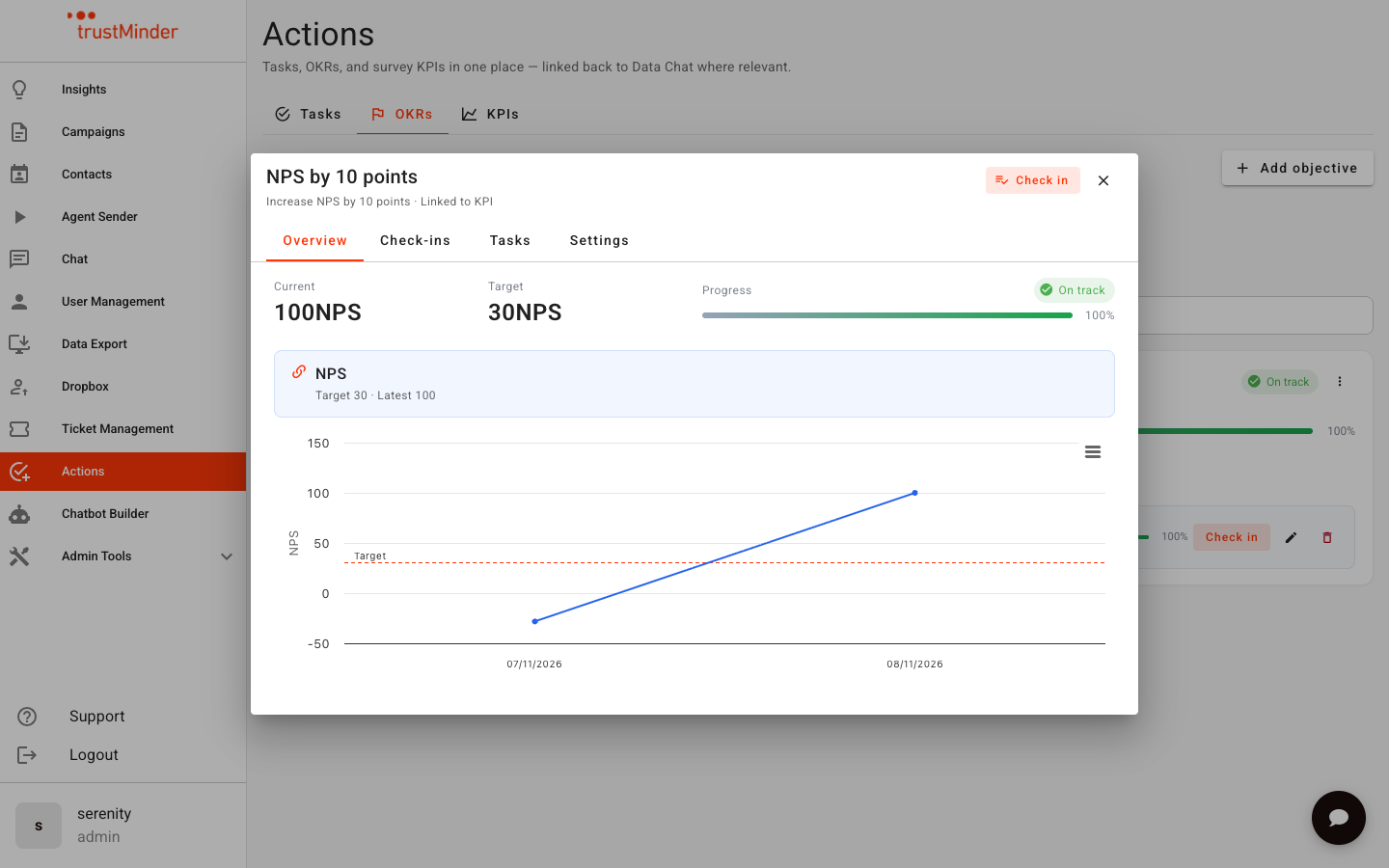
- Overview — Current value, progress, confidence, and a trend of check-ins.
- Check-ins — Full history of updates (manual or from a KPI).
- Tasks — Link or unlink Actions tasks that support this key result.
- Settings — Edit measurement details and links.
Best practices
- Keep objectives qualitative; put numbers on key results.
- Prefer a small number of key results per objective (typically 2–5).
- Check in on a steady cadence (for example weekly) even when nothing changed — a short note builds trust.
- Use confidence to surface risk early, not only when a metric is already red.


Was this article helpful?
That’s Great!
Thank you for your feedback
Sorry! We couldn't be helpful
Thank you for your feedback
Feedback sent
We appreciate your effort and will try to fix the article