Getting Started with Actions
The Actions page is your hub for turning insight into follow-through. It brings three related workspaces together so your team can track day-to-day work, strategic goals, and survey metric health in one place.
What you will find
Open Actions from the main navigation. Across the top you will see three tabs:
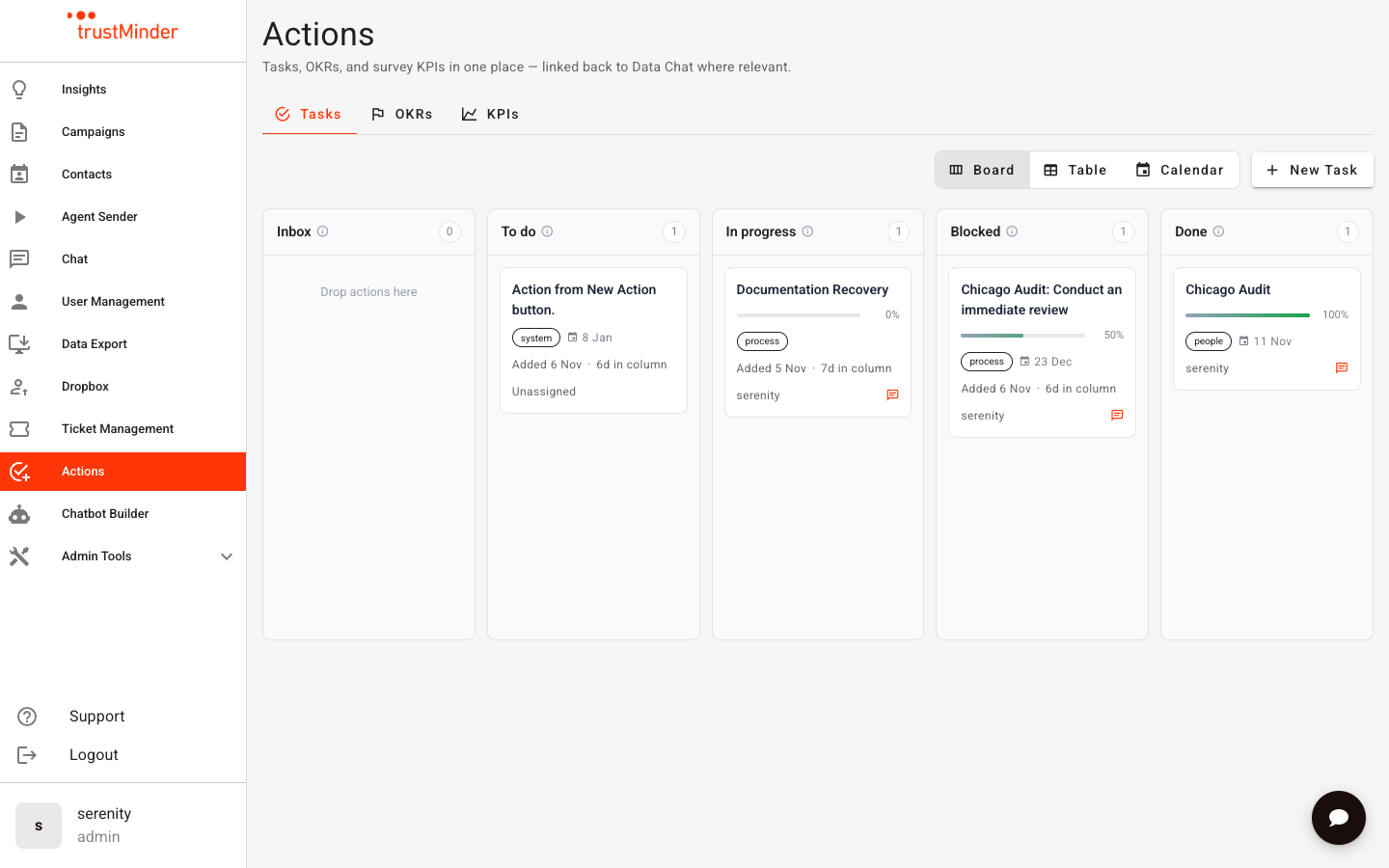
- Tasks — Capture and manage work items on a board, table, or calendar.
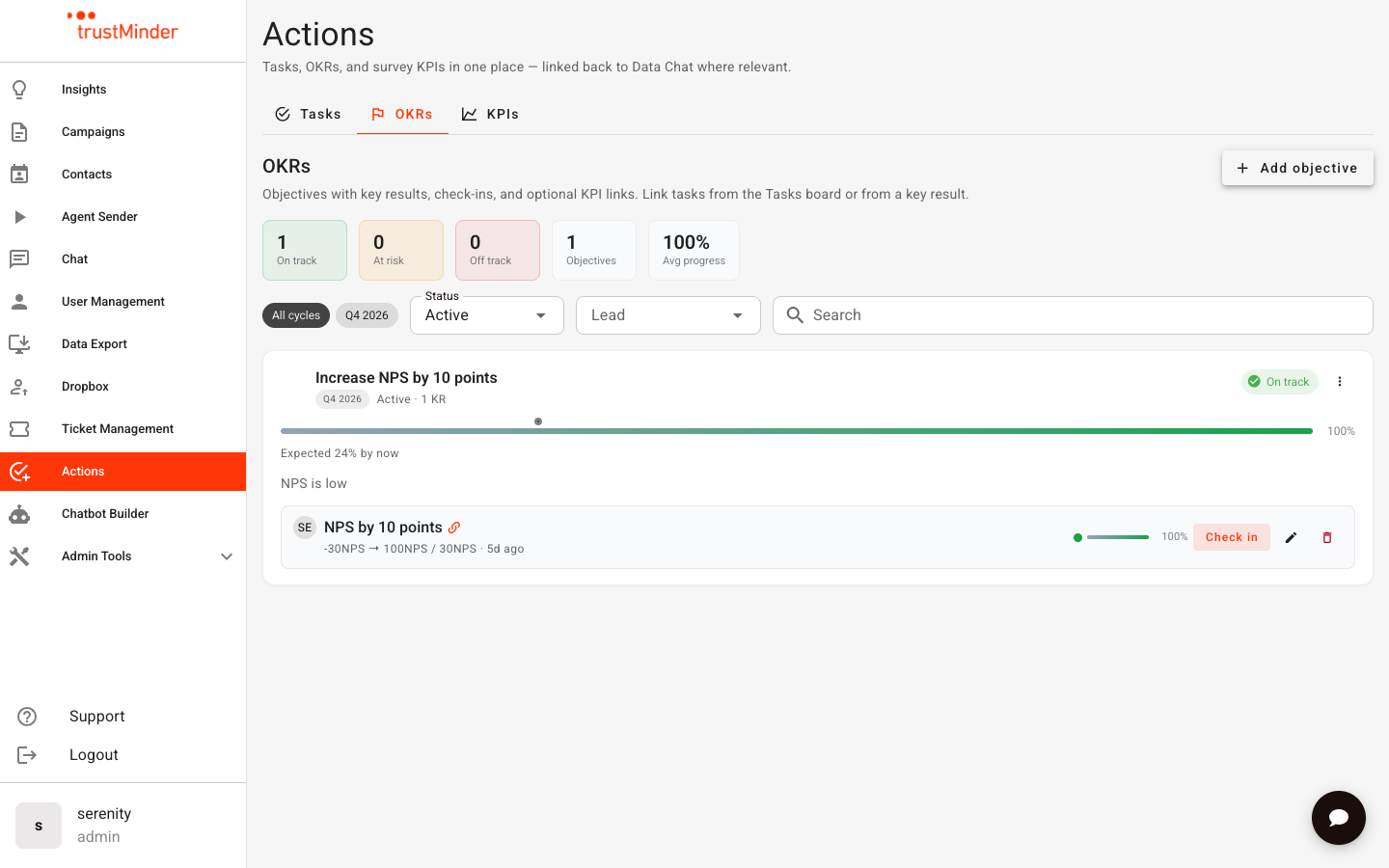
- OKRs — Set objectives and measurable key results, with check-ins and confidence.
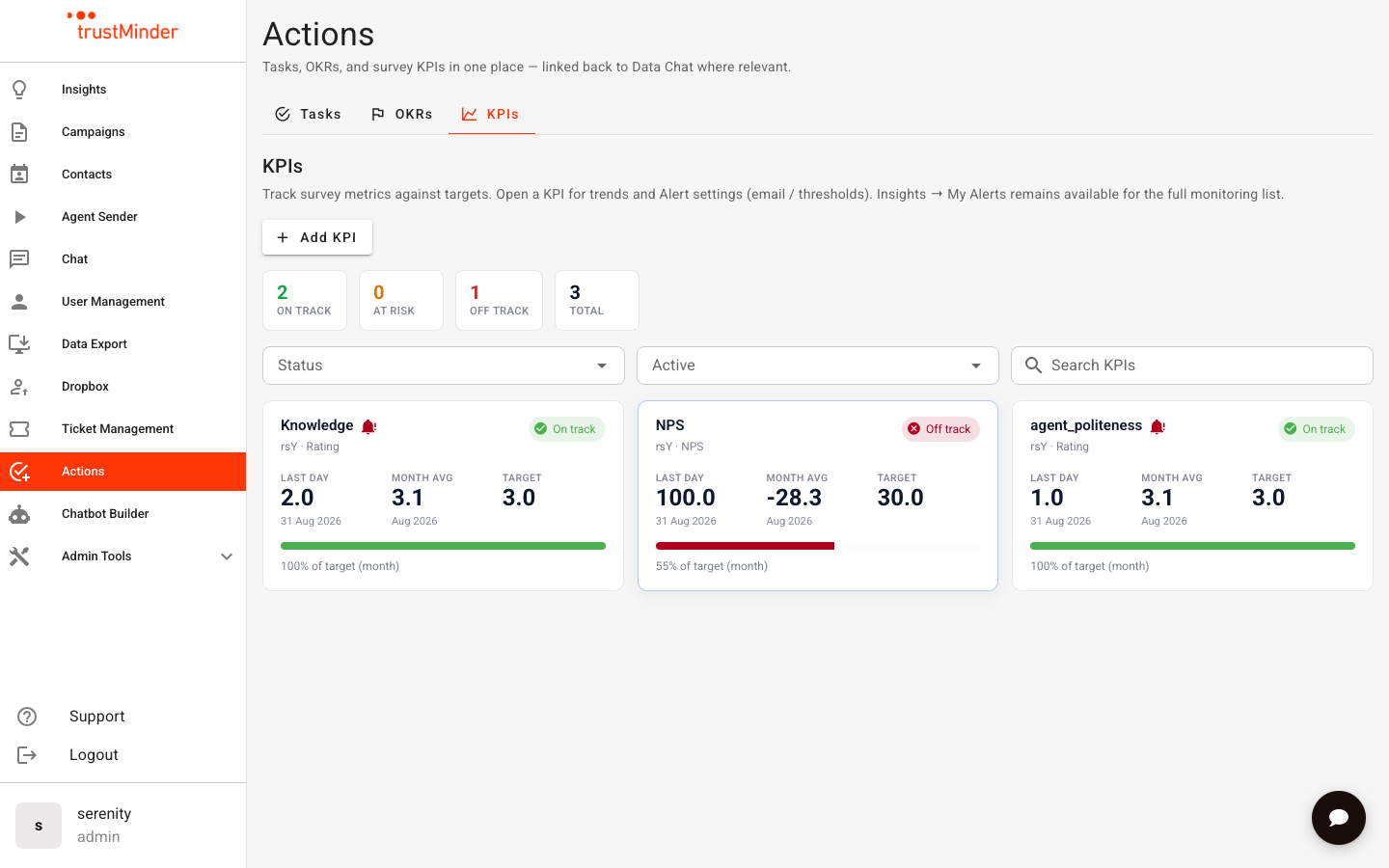
- KPIs — Track survey or label metrics against targets, with trends and alert rules.
How the pieces connect
- Create tasks from Actions, or from Data Chat when you spot something that needs follow-up.
- Link tasks to a key result so operational work ladders up to your OKRs.
- Optionally link a key result to a KPI so progress updates automatically from survey scores.
Permissions
- Access to Actions is controlled by your account permissions.
- The KPIs tab also requires the My Alerts permission (admins always have access). If KPIs is unavailable, ask an admin to enable My Alerts for your user.
Related articles
- Tasks on the Actions Page
- OKRs: Objectives, Key Results & Check-ins
- KPIs: Track Survey Metrics in Actions
- Label KPIs: Pooled Metrics Across Surveys
- Connecting Tasks, OKRs & KPIs


Was this article helpful?
That’s Great!
Thank you for your feedback
Sorry! We couldn't be helpful
Thank you for your feedback
Feedback sent
We appreciate your effort and will try to fix the article