Click 'Add Contact'
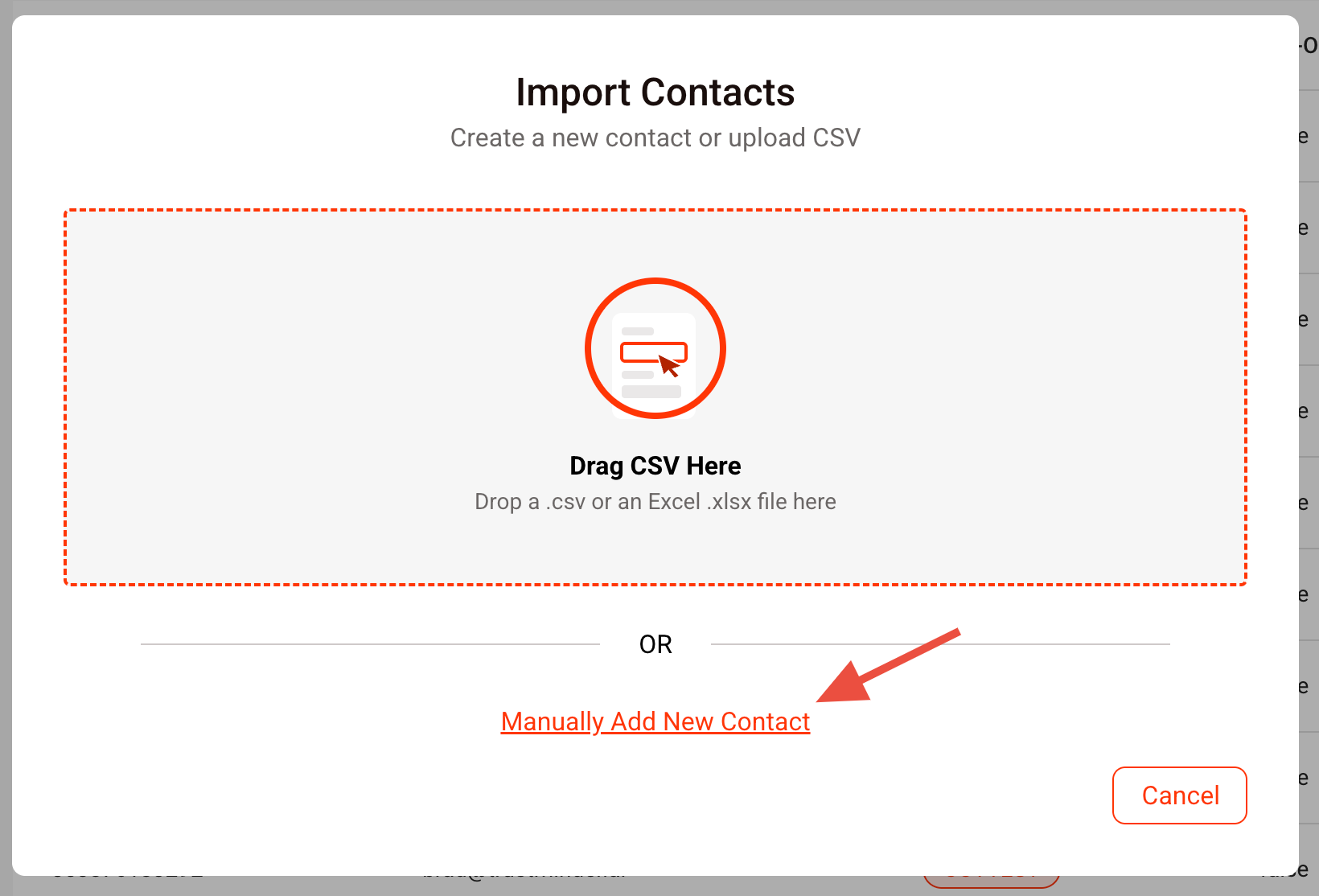
Next , click 'Manually Add New Contact'
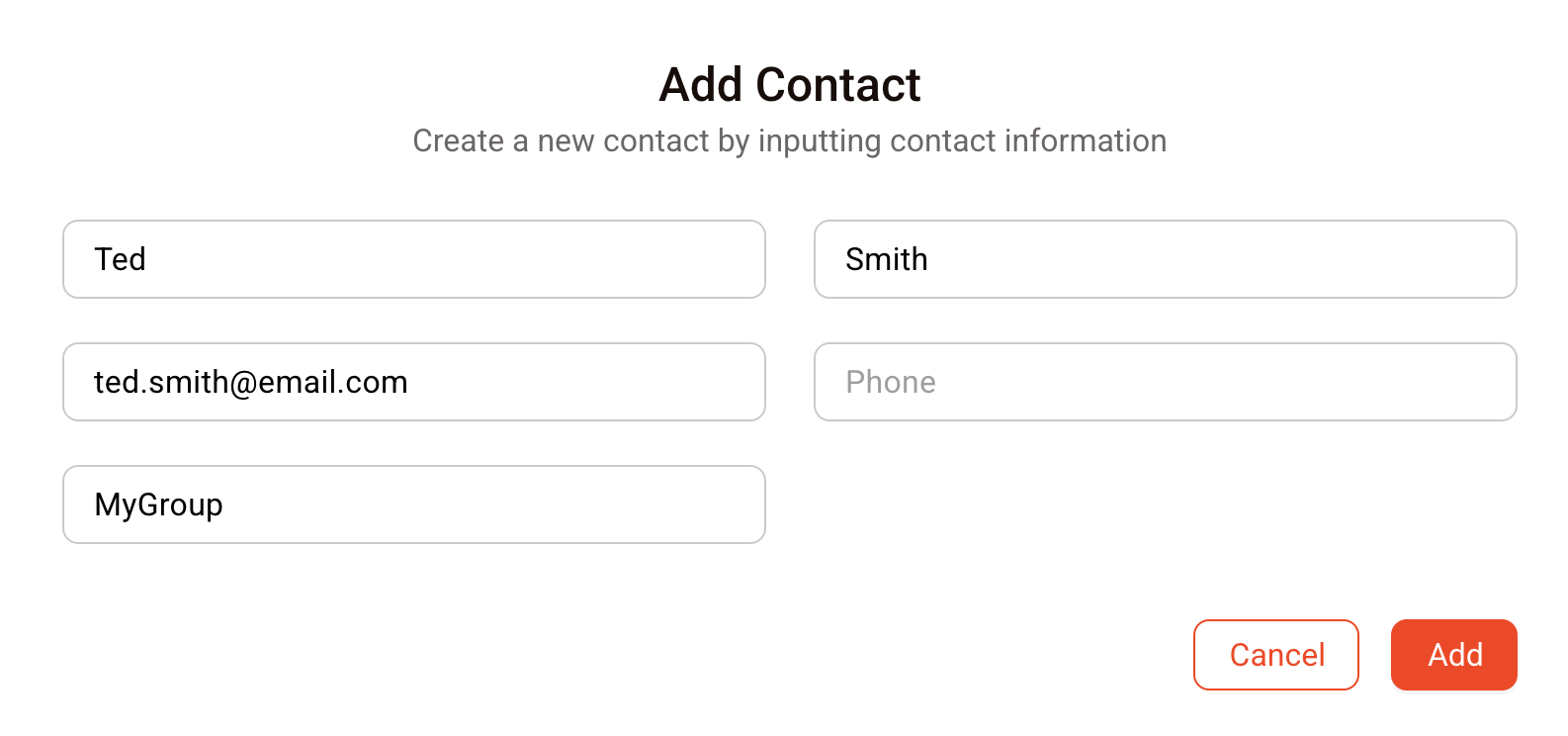
Enter the first name, surname, email or phone number (in international format) and group name.
The 'Add' button will then be enabled and you can add the contact.
Was this article helpful?
That’s Great!
Thank you for your feedback
Sorry! We couldn't be helpful
Thank you for your feedback
Feedback sent
We appreciate your effort and will try to fix the article